

Hex
A color puzzle on a honeycomb. Every board is a smooth gradient with a few hexes out of place. Find them, swap them home, and watch the colors settle.
How it plays
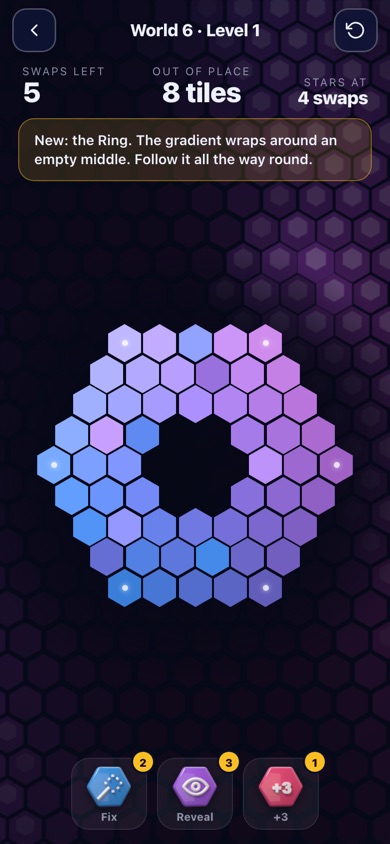
Each board starts as a perfect gradient that flows from one corner of the honeycomb to the other. A handful of hexes have been swapped out of place. Tap one hex, then the one that belongs where it sits (or drag one onto the other), and the two trade places. A swap that puts a tile home sticks; one that doesn't bounces back and costs you a swap. Clear the board in as few swaps as you can: at par or better earns three stars.
It sounds simple, and the first levels are. Then the boards grow, the shades get closer together, frozen tiles appear that you have to work around, and the honeycomb takes new shapes: rings, hearts, diamonds. Each world ends with a boss level that asks for everything you've learned.
Five games in one
Swap
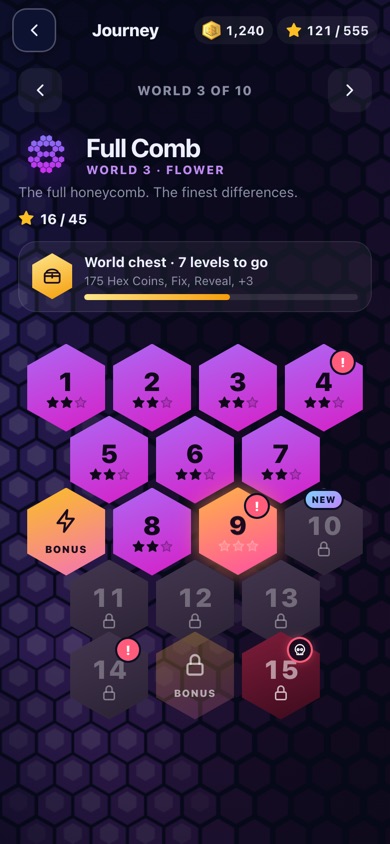
The heart of Hex: 185 levels across 10 worlds, from gentle warm-ups to the Master Comb. Also on the Swap page: Endless (clear board after board before the fuse burns out, with combos for quick fixes) and Drift (hold a board together while its tiles slowly slip out of place).
Bloom
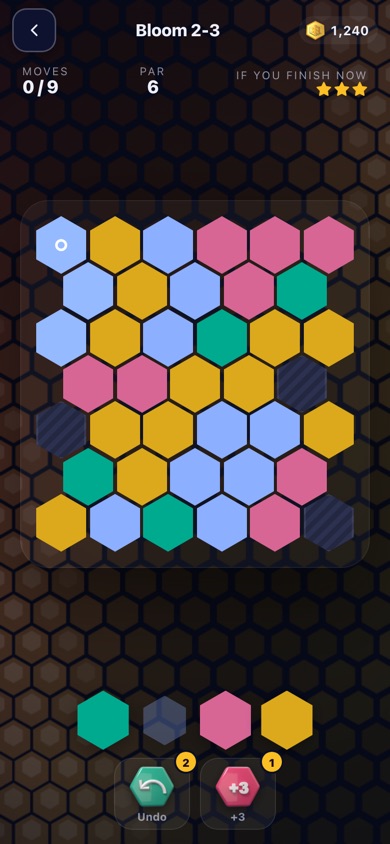
Your patch starts in one corner. Pick a color and your patch takes it, swallowing every touching tile of that color. Fill the whole board in as few moves as you can, around the grey stones that never change. 75 levels across 5 worlds.
Memory
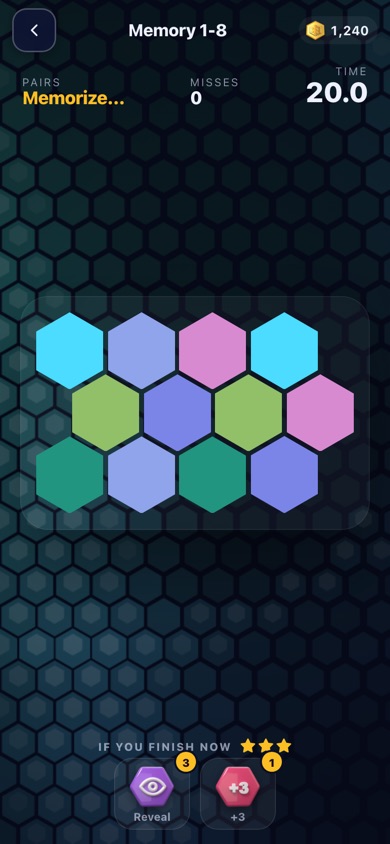
The cards show their colors for a moment, then turn over. Find every pair with as few misses as you can. Later worlds use shades of a single color and bigger decks. 75 levels across 5 worlds.
Spot
One hex is a slightly different shade from all the others. Find it before the fuse burns out; every find buys a little time and the next board is harder to read. 75 levels across 5 worlds.
Drift
The honeycomb keeps drifting apart. Swap the slipping tiles back and hold it together until the count runs out, with as few wrong swaps as possible. 75 levels across 5 worlds.
The Daily
Every day there is one Daily, and everyone in the world gets the same board. It rotates through the games: Monday is Swap, Tuesday Bloom, Wednesday Memory, Thursday Spot, Friday Drift, Saturday Swap again, and Sunday is a surprise. You get one try, one streak runs across all the games, and a leaderboard shows how you did against everyone else. Share your result as a picture and challenge a friend to beat it on the same board.
Free to play, fair to play
Hex is free. You earn Hex Coins by playing and can spend them on boosters (Fix, Reveal, +3 and Undo) when a level gets tough. Everything can be played without paying. Optional extras: Hex Plus ($1.99 a month or $9.99 a year) turns off the ads between levels and adds a free booster every day, double chest rewards, 5 free rescues a day and every past Daily; Remove ads ($3.99 once) turns off the ads between levels. Ads are kept light: none in your first levels, never in the middle of a board, and the ads you watch for a reward are always your choice.
Made for everyone
- Color assist: palettes that lean on lightness, for players with color blindness.
- Larger text and Reduce motion in Settings.
- Play every board with the keyboard on a computer, and with a screen reader describing the board.
- Plays on phones, tablets and computers, and keeps working offline once loaded.
Where to play
Hex launches first on the web, at hex.theyardapps.com, and then as apps for iPhone and Android. No download or account is needed to start; signing in with Google or Apple keeps your progress and coins on every device.
Questions
Do I need an account?
No. You can play right away as a guest. Signing in (Google or Apple) saves your progress to your account so it follows you to every device, and lets you spend your Hex Coins.
Is it hard?
It starts easy and ramps up slowly, with a relief level after every hard stretch. Each level shows how many swaps you have, and a par to aim for. Stuck? Boosters can fix a tile or reveal the ones out of place.
What data does Hex collect?
As little as possible. The full details are in the Hex privacy policy. You can delete your account and data from inside the game (Settings → Delete account and data).
How do I get help?
Email support@theyardapps.com.